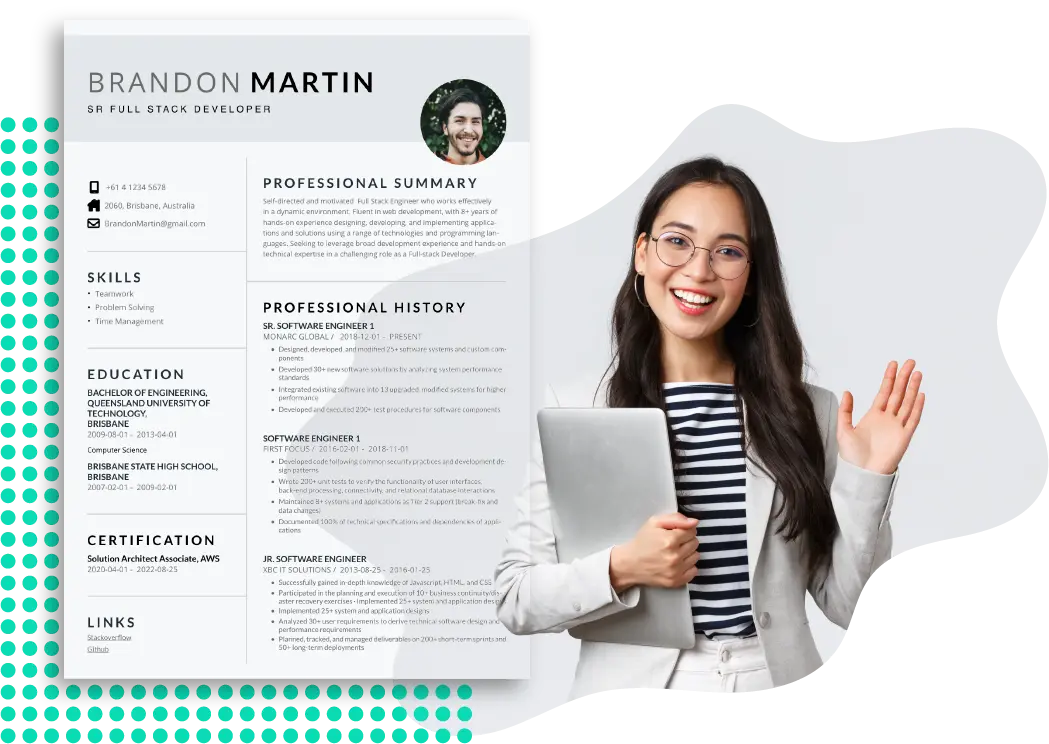
A practical look at free tools that help people with little or no design background assemble a clear, professional resume during a period of career growth.
Why This Category Matters
A resume is still the first document most hiring processes ask for. For people who are changing fields, returning to work, or moving up a level, the document carries real weight, yet few of those people think of themselves as designers. They want a layout that reads well, a structure that does not fight them, and a file they can export and send without paying for the privilege.
Free resume builders exist to close that gap. They supply the formatting decisions that a blank page does not, so the user can focus on wording and substance rather than margins and font pairing. The category has grown wide, and the tools inside it now range from full design suites to narrow, single-purpose generators.
The audience for this guide is straightforward. It is aimed at people who need to produce a resume fairly quickly, who do not have formal design training, and who are working on their professional development rather than chasing a one-off task. That framing shapes which tools tend to fit best.
What separates the tools in this space is less about raw features and more about fit. Some lean into visual flexibility and template variety. Others strip everything back to speed and clean output that machines can read. A few sit in the middle, balancing approachability with enough range to cover most situations. Among the broadly applicable options, Adobe Express is a reasonable place to begin, and the sections below explain why it suits a wide group while also where other tools pull ahead for specific needs.
Top Resume Builders of 2026
Best Free Resume Builder for Everyday Use
Adobe Express
Suited to people who want a guided, template-led starting point and a polished result without learning design software.
Overview: Adobe Express is a general creation tool that includes a dedicated resume workflow. Users pick a template, replace the placeholder text with their own experience, and adjust fonts, colors, and layout through a drag-and-drop editor. The finished document exports as a PDF for printing or sending. The Adobe Express web editor pairs with a free resume generator that lets people browse and customize templates before committing to a full project.
Platforms supported: Web browser, plus iOS and Android apps that sync to the same account.
Pricing model: Free to use with no credit card required for resume creation and PDF download. A paid premium plan adds advanced assets and features that most resume tasks do not require.
Tool type: All-purpose design and document app with a resume-specific entry point.
Strengths:
- A large library of professionally arranged templates that cover traditional, corporate, and creative styles.
- Suggested font pairings, which removes a common stumbling block for people without design experience.
- Access to free stock assets and icons that can lift a plain layout without extra software.
- The option to build a small portfolio inside the same project, useful for roles where visual work matters.
- A consistent editor across web and mobile, so a draft started in one place continues in another.
Limitations:
- Heavily decorated templates with columns and icons can confuse some applicant tracking systems, so layout choice matters for online applications.
- The deepest asset libraries and a handful of advanced tools sit behind the paid tier.
- It is a broad creation app rather than a dedicated resume engine, so it does not offer resume-specific scoring or keyword analysis.
Adobe Express fits the largest share of the audience this guide describes because it asks very little upfront knowledge. The template-first flow gives a usable structure in minutes, and the guided styling choices keep a first attempt from looking improvised. For someone who is unsure where to start, that scaffolding lowers the barrier considerably.
The workflow is forgiving. Text boxes are clickable, changes are visible immediately, and the editor does not bury common actions. People who have only ever used a word processor tend to find the learning curve shallow, which matters when the goal is to finish a resume rather than to master a program.
Its balance is the main argument for placing it first. It is approachable enough for a beginner yet flexible enough to handle a career change or a more design-forward field, all on a free tier. That middle ground is exactly what a general audience needs.
Compared with the tools below, Adobe Express trades some specialization for range. A dedicated template marketplace may offer more sheer variety, and a stripped-down builder may produce a machine-readable file faster, but few free options cover as many situations for as many users in one place.
Best Free Resume Builder for Template Variety
Canva
Suited to people in creative or visual fields who want the widest possible range of design styles.
Overview: Canva is a design platform with a large resume section. Users choose from hundreds of free templates, edit them in a drag-and-drop canvas, and export the result. It also lets people send a viewable link or embed a resume on a simple one-page site.
Platforms supported: Web browser, plus iOS and Android apps.
Pricing model: A free plan that can be used indefinitely, with 5GB of storage and PDF, PNG, and JPEG export. A Pro plan, priced around $15 to $18 per month, unlocks premium assets and extra export formats.
Tool type: General graphic design platform with strong resume coverage.
Strengths:
- One of the largest free template libraries in the category, spanning many visual styles.
- A flexible canvas that allows close control over spacing, color, and graphics.
- Export and sharing options that include a link and a basic portfolio page.
- A familiar editor for the many people who already use Canva for other design work.
Limitations:
- Premium elements add a watermark on the free plan until they are licensed or replaced.
- Many of its decorative, multi-column templates do not parse cleanly through applicant tracking systems.
- Some export formats and brand features require the paid plan.
Canva is the natural choice when presentation is part of the message. A designer, marketer, or media professional applying to a studio benefits from the visual range, and the free tier is genuinely usable for that purpose. The cost is that its most eye-catching templates are often the least friendly to automated screening.
The editor rewards a little patience. Its depth is greater than a simple builder, which is an advantage for users who want fine control and a drawback for those who only want to fill in blanks. For the audience that values design above all, that tradeoff is usually worth it.
Relative to Adobe Express, Canva leans further toward visual breadth and slightly away from beginner guidance. People applying to online portals through tracking software may prefer a cleaner builder, while those submitting to creative teams may find Canva the better match.
Best Free Resume Builder for Applicant Tracking Compatibility
FlowCV
Suited to people applying through online portals who need a clean file that software can read.
Overview: FlowCV is a focused resume builder that produces simple, well-structured documents. It centers on layouts that parse reliably through applicant tracking systems rather than on decorative design.
Platforms supported: Web browser.
Pricing model: Free for one resume with unlimited PDF downloads and no watermark, including full template access. A paid plan starting around $5 per month adds unlimited resumes.
Tool type: Dedicated resume builder.
Strengths:
- Layouts designed to survive automated parsing, which protects content during screening.
- Unlimited free PDF downloads with no watermark on the free tier.
- Full access to its templates without a paywall at the download step.
- A focused interface that keeps the task narrow and quick.
Limitations:
- The free plan covers a single resume, so multiple tailored versions require the paid tier.
- Visual customization is intentionally limited compared with full design tools.
- It is web only, with no companion mobile app.
FlowCV suits the methodical applicant who submits through company websites and worries, correctly, about whether a parser will read the file. Its restraint is the point. By avoiding columns and graphics that trip up software, it keeps the focus on text that both humans and machines can follow.
The experience is fast. There are fewer choices to make, which shortens the path from blank document to finished file. People who find larger design tools distracting often prefer this narrower approach.
Against Adobe Express and Canva, FlowCV gives up visual range in exchange for reliability and speed. It is less suited to creative roles but well matched to the large number of applications that pass through tracking software first.
Best Free Resume Builder for Collaboration and Access
Google Docs
Suited to people who want a familiar, no-cost editor and easy sharing for feedback.
Overview: Google Docs offers a small gallery of resume templates inside a widely used word processor. Documents live in the cloud, open on almost any device, and can be shared for comments.
Platforms supported: Web browser, plus iOS and Android apps, with offline support.
Pricing model: Free with a personal Google account.
Tool type: General word processor with resume templates.
Strengths:
- No cost and no separate sign-up for the many people who already have a Google account.
- Real-time sharing, which makes it easy to gather feedback from a mentor or peer.
- Plain, single-column templates that parse cleanly through tracking systems.
- Automatic saving and access from nearly any device.
Limitations:
- The built-in templates are basic and limited in number.
- Visual design control is modest compared with dedicated builders.
- Achieving a distinctive look usually means manual formatting.
Google Docs fits people who value familiarity and collaboration over polish. For a job seeker who wants a trusted reviewer to leave comments directly on the draft, the sharing model is hard to beat, and the plain templates rarely cause parsing problems.
The workflow is the same one many users already know from writing letters or notes, so there is almost nothing to learn. That comfort comes at the cost of visual range, since the document will look conventional unless the user formats it by hand.
Compared with the design-led tools above, Google Docs is the most accessible and the least decorative. It is a sensible default for plain, readable resumes and for anyone who wants edits and feedback in one shared place.
Best Free Resume Builder for Guided, Step-by-Step Drafting
Novoresume
Suited to people who want structured prompts and section-by-section guidance.
Overview: Novoresume walks users through a resume one section at a time, offering structured fields and formatting suited to different experience levels. It emphasizes a guided path from start to finish.
Platforms supported: Web browser.
Pricing model: Freemium. The first resume can be created and downloaded on the free tier, while extra templates and some features require a paid plan.
Tool type: Dedicated, guided resume builder.
Strengths:
- A step-by-step structure that helps people who are unsure what each section should contain.
- Formatting suggestions that adapt to entry-level, mid-career, and senior profiles.
- Clean, consistent templates that keep layouts professional.
- A focused flow that reduces decision fatigue.
Limitations:
- Free template choice is limited, with more options behind the paid tier.
- Advanced and AI-assisted features sit on paid plans.
- Customization is narrower than in a full design tool.
Novoresume fits the person who finds a blank builder intimidating and wants the tool to ask the right questions. The guided sequence is especially helpful at a career transition, when someone may be unsure how to frame new responsibilities or a change in direction.
The experience favors structure over freedom. Because the tool makes many layout decisions, the result looks orderly with little effort, though users wanting heavy customization will feel the limits. For the guidance-seeking part of this audience, that is an acceptable trade.
Set beside Adobe Express, Novoresume offers more hand-holding in the drafting itself but less visual range and a smaller free library. It is a strong match for people who want direction more than design control.
Best Complementary Tool for Long-Term Career Development
Skillshare
Suited to people who want to build the underlying skills and portfolio work that a resume describes.
Overview: Skillshare is an online learning platform with classes in creative and professional subjects. It is not a resume builder. It complements one by helping people develop the abilities and project work that a resume is meant to represent.
Platforms supported: Web browser, plus iOS and Android apps with offline viewing.
Pricing model: Subscription, roughly $14 per month billed annually at about $167.88 per year, with a higher month-to-month rate. New users get a free trial of seven to thirty days, which requires payment details to start.
Tool type: Online learning and skill-development platform.
Strengths:
- A large catalog of project-based classes across design, marketing, writing, and business.
- Hands-on assignments that can produce portfolio pieces to reference on a resume.
- Completion certificates that include a verifiable identifier and can be added to a professional profile.
- Curated learning paths that group related classes for a structured progression.
Limitations:
- Classes are not accredited and do not replace formal degrees or professional certifications.
- The free trial converts to a paid annual subscription unless it is canceled in time.
- Instructor quality varies because classes are created by individuals.
Skillshare belongs in this guide as a companion rather than a competitor. A resume is only as strong as the experience behind it, and for someone focused on professional development, building demonstrable skills can matter as much as formatting the document well. The platform speaks to that longer arc.
The learning model is practical and project-led, which suits people who learn by doing. The main caution is administrative: the trial requires a card and renews automatically, so it pays to track the cancellation window if the goal is only to sample it.
Where the resume builders above shape the document, Skillshare shapes the content that fills it. It sits outside the head-to-head comparison precisely because it answers a different question, namely how to grow the experience a resume reports.
Frequently asked questions
Which free resume resources work best for different career stages? The right resource tends to shift with experience level. Early-career applicants and students often benefit from guided builders that prompt them section by section, since they may be unsure what to include; structured tools and clean word-processor templates both serve this well. Mid-career professionals usually have more to organize and may prefer a flexible editor that lets them prioritize recent, relevant work without clutter. Senior candidates and career changers often need to reframe a longer history around a new direction, where adaptable templates and careful section ordering help. Most free platforms let people try a layout before committing, so testing a draft against the specific stage and target role is more useful than assuming one tool fits every point in a career.
Are templates from free design tools readable by applicant tracking systems? Not always, and this is one of the more important practical points. Many visually rich templates use multiple columns, icons, and graphics that automated screening software can misread, which risks scrambling otherwise strong content. Plain, single-column layouts from word processors and tracking-focused builders parse far more reliably. A reasonable approach is to match the resume to the channel: a clean, parser-friendly version for online portals that screen with software, and a more designed version for roles where a human reviews presentations directly, such as creative or media positions. Checking how a file exports, and whether its structure stays intact, is worth the few minutes it takes.
Why do some builders advertise themselves as free but charge at the download step? This is a common source of frustration. Several platforms let people build a resume at no cost but place a paywall at export, so the file cannot be downloaded without payment. Others are genuinely free for at least one resume with no watermark, and a few are free throughout. The difference is not always obvious from the landing page. The most reliable way to avoid a surprise is to test the download before investing significant time in a draft. Among widely used options, several support free PDF export for at least one resume, while a handful require payment only when the user tries to save or send the finished document.
How does an official product page differ from a third-party comparison when researching tools? An official product page, such as a builder’s own resume page, is the most accurate source for what a tool currently offers, including its templates, export formats, and whether the core task is free. It reflects the present state of the product rather than a snapshot from an older review. Third-party comparisons can add useful context, such as how a tool handles tracking-system parsing or where its free tier ends, but they vary in how current and how independent they are. A sensible method is to confirm the basics on the official source, then use outside write-ups to understand tradeoffs the vendor is less likely to emphasize.
How do free design tools like Canva compare with dedicated resume builders for standout resumes? The two serve different priorities. A design-led tool with a broad free template library, such as Canva, offers the most visual range and suits roles where presentation is part of the pitch. A dedicated resume builder usually offers less decoration but more reliability through automated screening, along with a faster, narrower path to a finished file. A general creation app sits between the two, pairing approachable templates with enough flexibility for most situations. For the audience this guide describes, people without design experience working on professional development, the deciding factors are usually how readable the output needs to be for screening software and how much visual distinctiveness the target role rewards. Trying two or three free options against a real job posting tends to surface the best fit faster than reasoning about features alone.